Geo Floral Cut File: Elevating Paper Crafts and Vinyl Projects
In the evolving world of digital crafting, finding a design that balances modern aesthetics with timeless elegance can be a significant challenge. The Geo Floral Cut File represents a sophisticated solution for makers who want to move beyond standard botanical illustrations without abandoning organic beauty entirely. This unique digital asset merges geometric precision with the softness of floral motifs, creating a versatile visual language suitable for a wide array of creative applications. Designed specifically with crafters and small business owners in mind, this file collection addresses the common need for professional-grade, scalable graphics that perform reliably across various cutting machines and software platforms.
Understanding the Geo Floral Cut File Collection
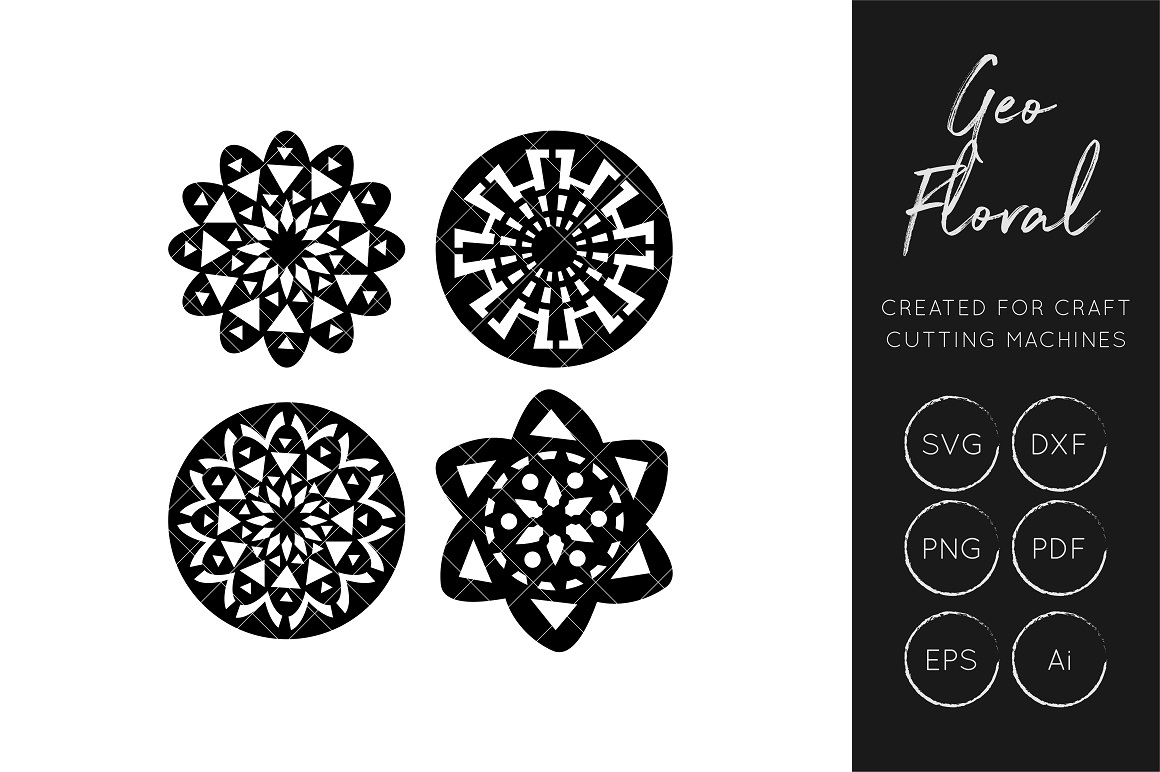
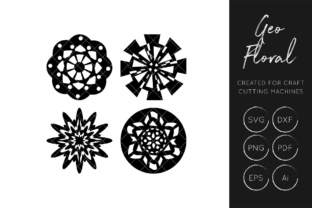
At its core, the Geo Floral Cut File is more than just a pretty picture; it is a comprehensive digital toolkit. Unlike raster images that lose quality when resized, this collection provides true vector data. This distinction is critical for anyone using electronic cutting machines like the Silhouette Cameo or Cricut Maker. The design features clean nodes and optimized paths, ensuring that your blade glides smoothly through cardstock, vinyl, or acetate without snagging or leaving jagged edges. The fusion of angular geometry and flowing petals creates a contemporary look that stands out in a marketplace saturated with traditional country-style florals.
The package includes multiple formats to ensure maximum compatibility and utility. Users receive SVG and DXF files for direct import into cutting software, alongside PNGs for print-then-cut projects or digital mockups. For designers who wish to modify the artwork extensively, AI and EPS files are included for editing in Adobe Illustrator or Affinity Designer. Additionally, PDF versions serve as excellent references for hand-tracing or stencil creation. This multi-format approach ensures that whether you are a hobbyist making a single birthday card or a business owner producing hundreds of wedding favors, you have the exact file type required for your workflow.
Solving Common Crafting and Business Challenges
Crafters and entrepreneurs frequently encounter specific hurdles when sourcing digital designs. One primary issue is licensing and commercial viability. Many free or low-cost files come with restrictive licenses that prevent selling finished goods. The Geo Floral Cut File has been created with small business owners explicitly in mind, bridging the gap between personal enjoyment and commercial application. This allows sellers to confidently list products featuring this design on platforms like Etsy or at local craft fairs without fear of copyright infringement.
Another frequent pain point is file optimization. Poorly digitized vectors often contain thousands of unnecessary anchor points, causing cutting machines to pause, stutter, or fail mid-project. This wastes expensive materials and valuable time. Because this Geo Floral Cut File is engineered for fabrication, the paths are streamlined for efficiency. This technical consideration directly translates to smoother production runs and less frustration during the weeding process, particularly when working with intricate adhesive vinyl or delicate paper layers.
Furthermore, versatility is often sacrificed for style. A design might look beautiful on screen but lack the structural integrity needed for physical assembly. The geometric elements in this floral design provide inherent stability, making it easier to layer papers or align vinyl decals. This structural thoughtfulness helps users achieve professional results even if they are relatively new to machine crafting.
Practical Applications and Creative Outcomes
The true value of the Geo Floral Cut File lies in its adaptability across different mediums. Below are several practical ways to implement this design effectively:
- Stationery and Invitations: Use the SVG to cut intricate window cards from heavy cardstock. The geometric lines pair exceptionally well with modern calligraphy fonts, making this ideal for wedding invitations, save-the-dates, and corporate event stationery. Layering a gold foil geo-floral frame over white linen paper creates an immediate sense of luxury.
- Vinyl Decals and Signage: The balanced composition works perfectly for tumblers, laptop skins, and car decals. Because the design combines solid shapes with fine lines, it weeds easily while maintaining visual interest from a distance. Small business owners can use this to create branded packaging stickers that feel bespoke rather than generic.
- Scrapbooking and Memory Keeping: Utilize the PNG or printed PDF versions as background elements, then use the cut file to create matching embellishments. This mixed-media approach adds depth to memory books. The modern aesthetic of the Geo Floral Cut File is particularly suited for documenting travel, architecture, or contemporary family milestones.
- Home Decor and Textiles: Beyond paper and vinyl, the DXF file can be imported into embroidery digitizing software (with appropriate conversion) or used as a guide for painting stencils on wood signs and canvas tote bags. The geometric nature of the floral makes it easier to register stencils accurately compared to purely organic shapes.
Tailoring the Experience for Different Users
While the asset remains constant, the approach to using the Geo Floral Cut File will vary significantly based on user goals and skill levels.
For the Hobbyist Crafter
If you are crafting primarily for personal satisfaction or gifts, focus on experimentation with color and texture. You might use the PNG file to print a colorful background and then cut the outline from glitter cardstock using the SVG. Your goal is likely creative expression, so take advantage of the layered nature of the design to practice registration techniques. Since you are not bound by production speed, try cutting the design from unconventional materials like balsa wood, leather, or fabric to see how the geometric floral translates across different textures.
For the Small Business Owner
Efficiency and brand consistency are your priorities. When using the Geo Floral Cut File for commercial products, establish a standardized color palette that aligns with your brand identity. Create templates within your cutting software that utilize the DXF or SVG file so you can batch-produce items quickly. Consider how this design scales; test the minimum size at which the details remain legible and weedable to avoid material waste. Document your successful settings for this specific file to streamline future production runs. Additionally, leverage the high-resolution PNG to create professional product photography mockups before committing to physical inventory.
For the Graphic Designer
You may view this file as a starting point rather than a final product. Utilize the AI and EPS files to deconstruct the Geo Floral Cut File and reassemble it into new patterns or logos. The vector format allows you to adjust stroke weights, change colors, or isolate specific geometric elements to create a cohesive suite of branding materials for clients. Your focus is on customization and integration, treating the download as a premium raw material for higher-level design work.
Implementation Tips and Best Practices
To get the most out of this digital download, consider the following recommendations during your workflow. Always perform a test cut when using the Geo Floral Cut File on a new material. While the vectors are optimized, blade sharpness and mat stickiness vary. When working with the intricate intersections typical of geometric florals, slow down your cutting speed slightly to ensure corners are crisp. If you plan to layer the design, use alignment marks or registration boxes in your software; the geometric components of this file actually make alignment easier than with irregular organic shapes.
Finally, organize your downloaded files immediately. Rename them clearly to include the format and intended use (e.g., "GeoFloral_SVG_Cutting" or "GeoFloral_PNG_Print"). Proper file management saves hours of searching later and ensures you always grab the correct version for your Silhouette, Cricut, or design software. By understanding both the technical specifications and the creative potential of the Geo Floral Cut File, you transform a simple digital download into a cornerstone resource for countless future projects.