Illinois IL Floral Mandala State Cut File: A Practical Guide to Formats and Application
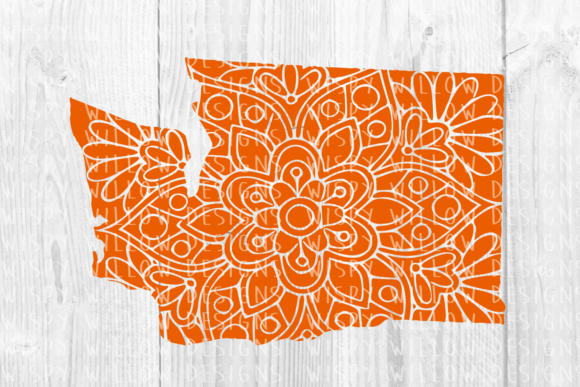
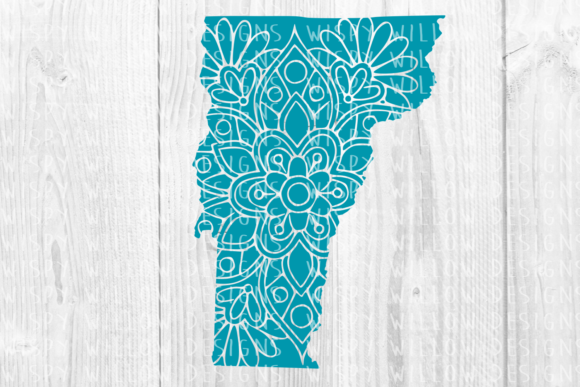
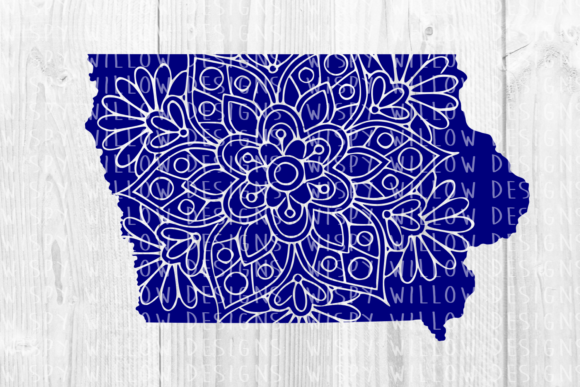
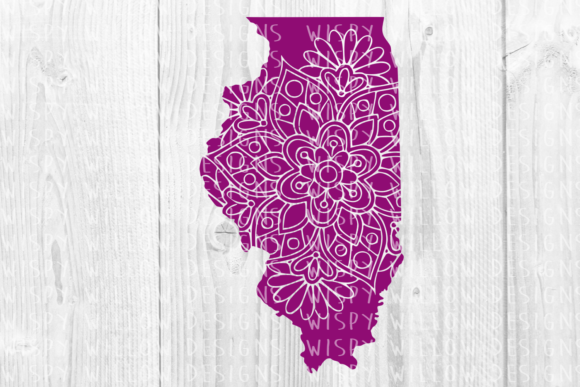
The intersection of state pride and intricate design offers a unique opportunity for creators, but success depends entirely on technical execution. An Illinois IL Floral Mandala State Cut File is more than just a decorative silhouette; it is a complex vector asset that combines geographic recognition with organic artistry. This specific design niche appeals to makers who want to move beyond basic outlines and create merchandise or decor that feels sophisticated and locally relevant. Whether you are producing vinyl decals for tumblers, laser-engraved wood signs, or sublimation transfers for apparel, the utility of this design hinges on your ability to select and manipulate the correct digital format.
Many crafters and small business owners underestimate the importance of file compatibility until they encounter production errors. The appeal of a floral mandala integrated into the Illinois state shape lies in its detail, yet that same detail can become a liability if the wrong file type is used for the intended machine or software. Understanding the specific contents of this listing—which includes EPS, DXF, SVG, PDF, PNG, and JPEG formats—is the first step toward avoiding wasted materials and frustrating production delays.
Navigating Vector Formats for Cutting Machines
A frequent oversight involves assuming all vector files function identically across different cutting platforms. While the listing provides multiple vector options, they serve distinct purposes. The SVG file is generally the industry standard for electronic cutting machines like Cricut Maker or Silhouette Cameo. It retains layer information and scales infinitely without losing quality. However, beginners often mistakenly attempt to use the EPS file directly in basic cutting software. EPS (Encapsulated PostScript) is primarily designed for professional graphic design software like Adobe Illustrator or CorelDRAW. If you try to import an EPS directly into entry-level cutting software, you may experience node distortion, missing elements, or complete failure to load.
Conversely, the DXF file serves as a crucial bridge for users of the free version of Silhouette Studio. Unlike the paid Designer Edition, the free version does not natively support SVG imports. Many users purchase a design bundle only to realize they cannot open the primary file. By utilizing the included DXF, you ensure compatibility without upgrading your software immediately. Be aware, however, that DXF files sometimes lose fill colors upon import, appearing as simple line art. This is normal behavior; the cut lines remain intact, but you may need to manually reassign colors within your software to organize your cut layers efficiently.
The Dangers of Raster Files in Vector Workflows
Perhaps the most costly mistake in digital crafting is attempting to cut from raster images. The listing includes a PNG file with a transparent background and a JPEG file. These are pixel-based formats intended for printing, sublimation, or digital mockups, not for blade cutting. When a user tries to auto-trace a JPEG of a floral mandala to create a cut path, the results are rarely clean. Intricate floral details often fuse together during the tracing process, creating jagged edges and unweedable vinyl messes.
If your goal is physical cutting, always prioritize the true vector files (SVG, DXF, EPS). Reserve the PNG and JPEG for creating product listings, heat transfer vinyl (HTV) prints, or UV DTF designs where the image is printed rather than cut. Using a raster file for a complex mandala state design forces the machine to interpret pixels as paths, leading to excessive node counts that can cause the cutter to stutter or pause unpredictably. Recognizing the distinction between print-ready and cut-ready assets saves both time and expensive vinyl.
Evaluating Design Complexity and Material Choice
Beyond file formats, the physical application of an Illinois IL Floral Mandala State Cut File requires realistic expectations regarding material limitations. Mandalas are inherently detailed, featuring tight curves and negative spaces. A common error is selecting a material that cannot hold these fine details. Standard adhesive vinyl may tear during weeding if the mandala lines are thinner than the material’s tolerance. Before committing to a full production run, test the design size on your chosen medium.
For intricate floral state designs, consider using premium cast vinyl or specialized stencil vinyl which offers better release properties. If you are laser engraving the PDF or SVG version onto wood, verify that the line weight translates well to the laser's kerf. Sometimes, a design that looks perfect on screen has lines too thin to char visibly on dark walnut or cherry wood. Adjusting the stroke width in your vector software before sending to the laser prevents faint, unreadable engravings. This proactive adjustment is far superior to trying to fix a ruined piece of lumber after the fact.
Sizing and Proportion Considerations
State shapes present unique geometric challenges. Illinois is vertically oriented, which affects how a circular mandala integrates into the boundaries. When resizing this cut file, always maintain the aspect ratio. Stretching the design to fit a horizontal tumbler wrap will distort the floral symmetry and the state geography simultaneously, resulting in an unprofessional appearance. Instead of distorting the vector, utilize the editable nature of the EPS or SVG to modify the internal mandala pattern independently of the state outline if customization is needed.
Additionally, check the minimum viable size for this specific design. Because florals contain organic curves, scaling the entire composition down below three inches may render the inner petals uncuttable. Professional makers keep a "minimum size reference" for complex files. If your project requires a smaller footprint, look for a simplified version of the state outline or reduce the density of the mandala pattern within your editing software rather than forcing a complex file into a tiny space.
Best Practices for File Management and Licensing
Efficient workflow extends beyond the cutting mat. Upon downloading your Illinois IL Floral Mandala State Cut File, organize the six included formats immediately. Rename files with descriptive tags including dimensions and intended use cases. This prevents the "file hunt" during busy production periods. Furthermore, verify the licensing terms associated with the purchase. Owning the EPS and SVG files grants you usage rights, but it rarely grants redistribution rights. Uploading the raw vector file to a public sharing site or selling the digital file itself is a violation that harms the designer community and risks legal issues for your business.
Finally, validate the file integrity before starting commercial projects. Open the SVG in your cutting software and inspect the node count. Excessively high node counts in floral designs can slow down processing. Most modern software includes a "simplify" or "optimize" function. Running this tool on the mandala element can reduce file size and improve cutting smoothness without sacrificing visual fidelity. This small technical step distinguishes amateur outputs from professional-grade merchandise.
Success with state-themed floral designs comes from respecting the technical requirements of the asset. By matching the correct file format to your specific hardware, understanding the limitations of raster versus vector, and preparing your materials for intricate detail work, you transform a simple digital download into a polished, marketable product. The inclusion of EPS, DXF, SVG, PDF, PNG, and JPEG formats in this listing provides comprehensive versatility, provided each is applied with intention and technical awareness.